AI Video and Interactive 3D Worlds: How Atlas, Genie 3 and Mugen3D Approach Spatial Content
A generated sequence, a navigable world and a reusable 3D asset offer different kinds of control.
AI video and interactive 3D are moving toward a shared goal: visual content that people can explore, influence and return to. The practical difference is what a system produces and how that output responds to a user. A generated sequence, a navigable world and a reusable 3D asset offer different kinds of control.
World Labs’ Atlas, Google DeepMind’s Genie 3 and SumeruAI’s Mugen3D illustrate different approaches. Atlas connects generation with spatial reconstruction. Genie 3 generates an environment as the user navigates. Mugen3D focuses on creating 3D assets and bringing compatible characters and scenes into interactive applications.
For creators and developers, the key question is whether the project needs a finished clip, an evolving simulation, or assets that can be rendered and used repeatedly. That decision affects editing, deployment and operating costs.
Why video quality is only part of the problem
A conventional video records a sequence of views. Its camera, edit and visible events are fixed when the clip is exported. A 3D representation stores spatial information that a renderer can use to produce new views. An interactive application can combine that representation with animation, user input and other systems.
Generative video has improved visual realism, but production teams still need continuity, predictable camera control and opportunities to revise the result. A convincing image does not by itself provide an object that can be selected, animated or reused in another application.
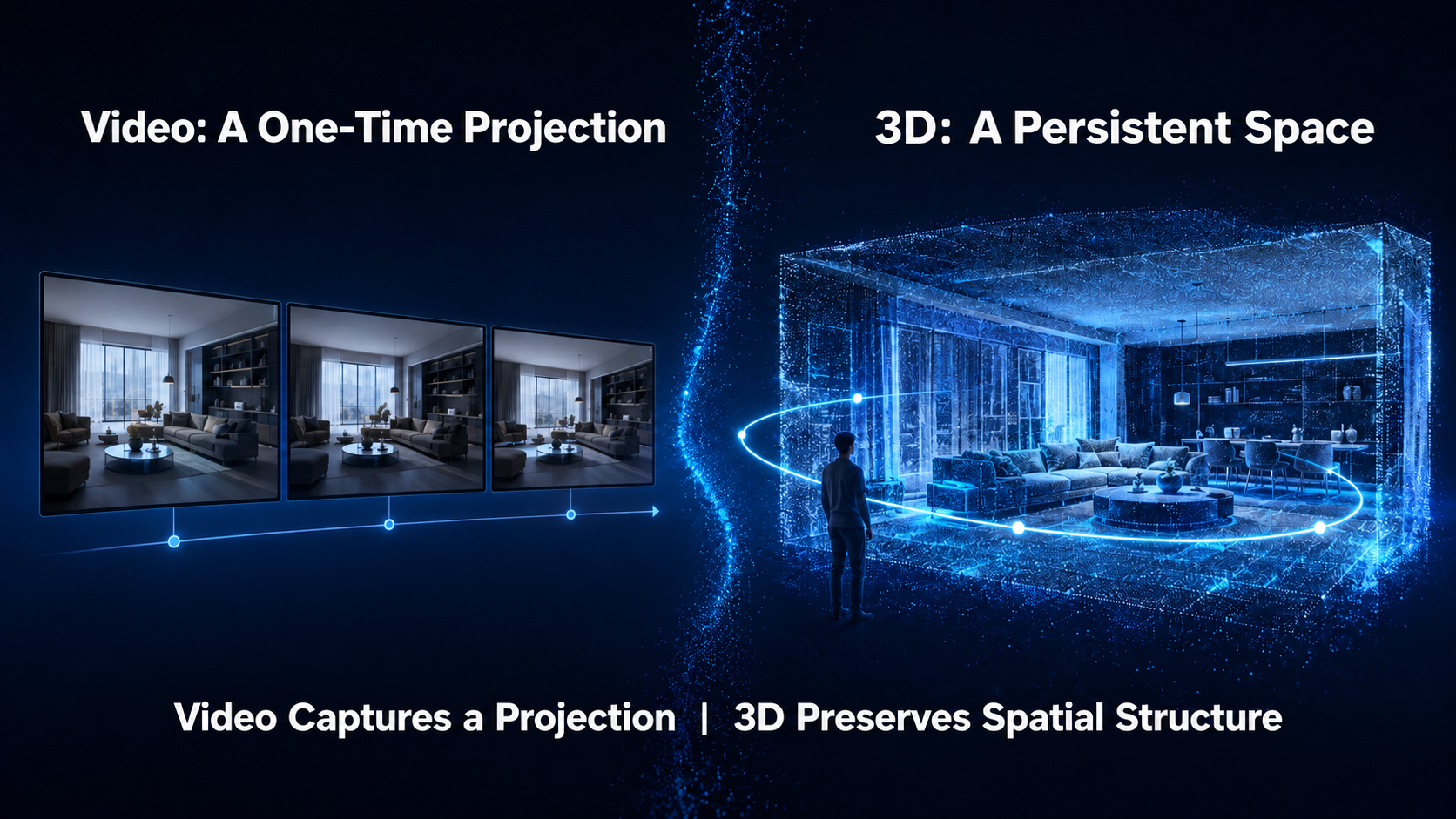
Interactive 3D addresses some of these needs by retaining a scene representation. It introduces its own work: reconstructing unseen areas, preparing characters for animation, and maintaining performance on the target device. The useful comparison is between complete workflows, including those remaining steps.
Two approaches to interactive visual content
One approach generates the next visual state in response to user actions. This can create rich, changing environments without requiring an artist to model every object first. The engineering challenge includes maintaining consistency, responding quickly and sustaining the experience over time.
Another approach creates a persistent 3D representation first, then renders and animates it. Camera movement can reuse that representation, and supported objects can remain available across sessions. Reconstruction quality, animation and application logic determine what users can actually do.
These approaches can overlap. A world model may produce both video and explicit 3D outputs, while a 3D application may use generative models to create assets or motion. The output format and interaction model matter more than a single product label.
Atlas combines spatial generation and reconstruction
World Labs introduced Atlas on September 1, 2026. It processes text, images, video and spatial data within a shared context. Announced capabilities include camera-controlled video up to one minute at 1440p, reconstruction, and space-time simulation.
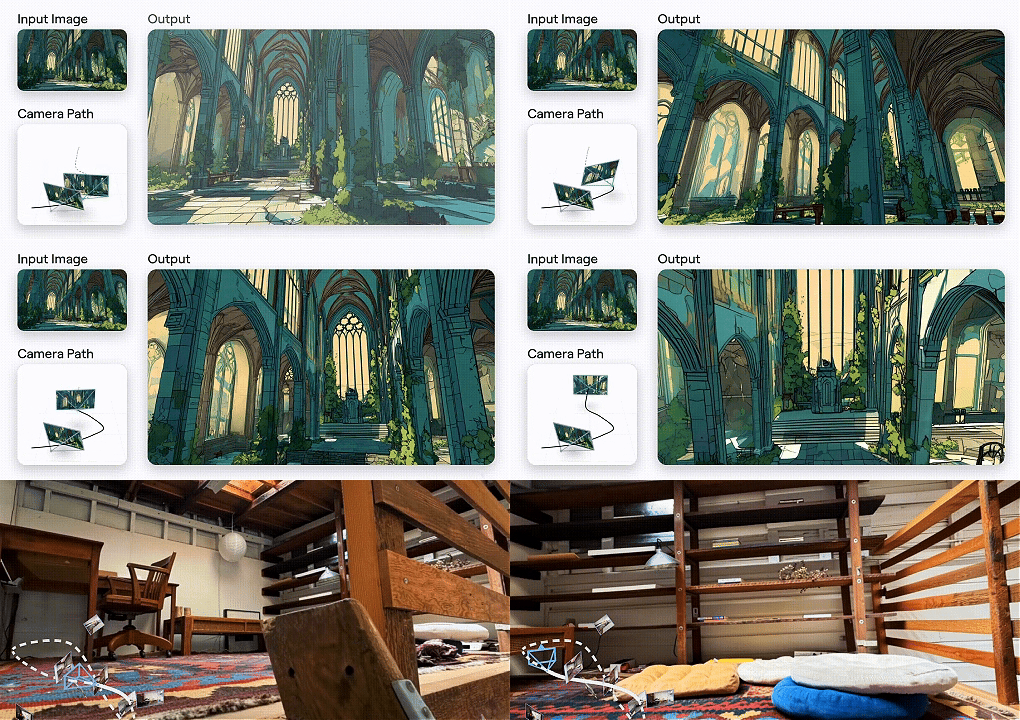
Atlas also produces explicit point clouds and 3D Gaussian splats. World Labs describes splat scenes that render on-device. These outputs serve both media creation and workflows that need a retained scene. For a project, distinguish generated camera paths, exported scenes and the application that makes those scenes interactive. The announcement describes early access with selected partners.
Genie 3 generates worlds as users explore
Google DeepMind introduced Genie 3 in August 2025. Its announcement describes interactive environments at 24 frames per second and 720p, with consistency maintained for a few minutes. The environment develops in response to navigation.
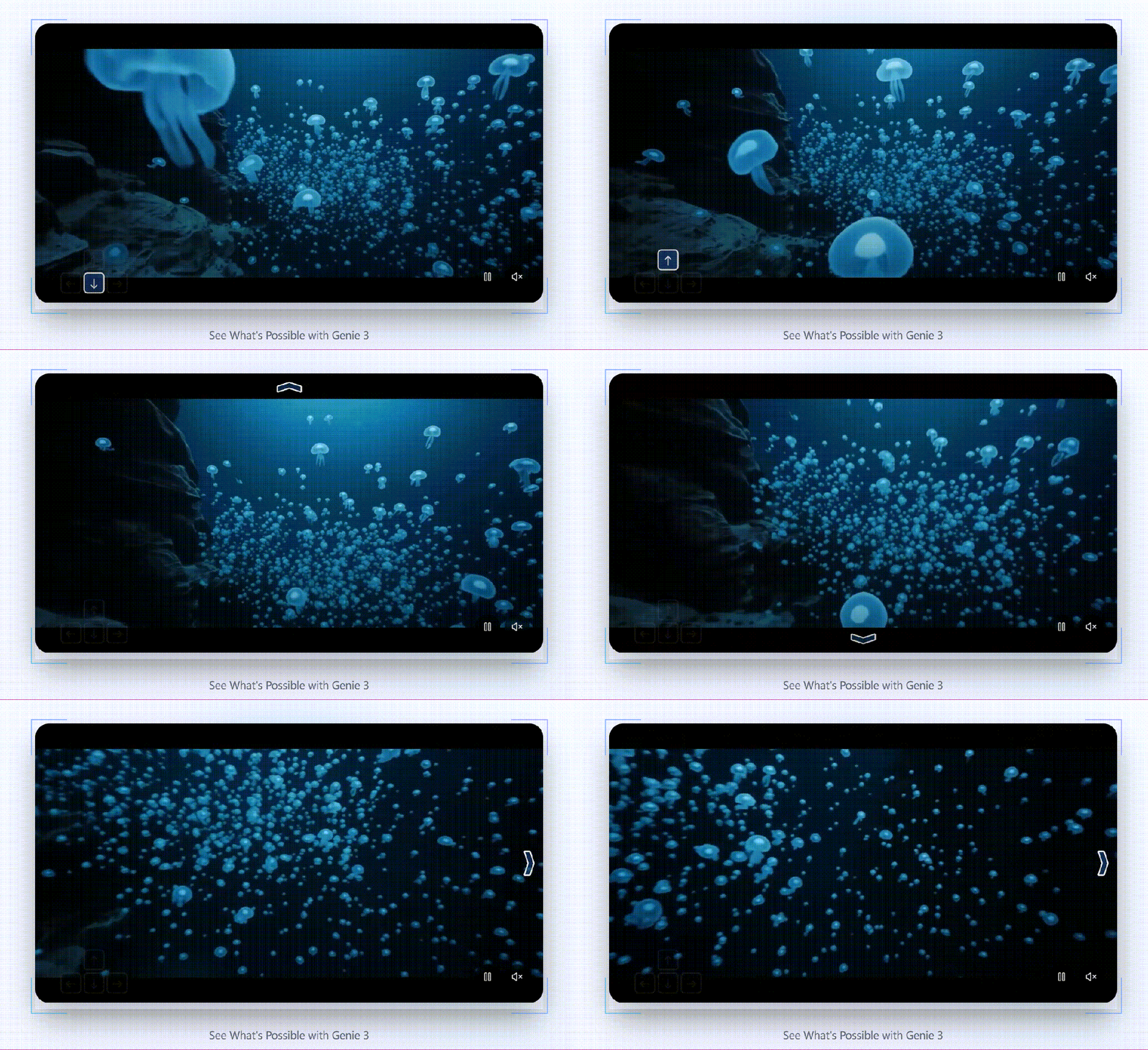
Genie 3’s frame-by-frame world generation differs from rendering a stored 3D asset. Its announced limitations include constrained actions, difficult interactions between independent agents and limited continuous duration. Navigability alone should not be treated as evidence that individual objects can be exported and edited.
Google’s January 2026 Project Genie announcement describes an experimental web prototype powered by Genie 3, Nano Banana Pro and Gemini. At launch, it began rolling out to eligible US Google AI Ultra subscribers, with generations limited to 60 seconds. The research model and the prototype have different capabilities and access conditions.
Mugen3D starts with reusable 3D assets
At SumeruAI, we develop Mugen3D around the production and use of 3D assets. Our workflow starts with visual input, builds a 3D representation, and connects supported assets to animation and interaction. The aim is to let a creator return to the same character or scene and use it in more than one experience.
Mugen3D uses 3D Gaussian Splatting, or 3DGS, for visual asset representation. A splat represents part of a scene as a small spatial element with appearance information. Rendering many splats together produces a view of the scene from the selected camera position. A 3DGS asset is not automatically a rigged character; animation and interaction require compatible systems.
How the Mugen3D workflow connects generation and interaction
- Create a 3D asset from visual input. The workflow uses a single image for supported character and object generation, and image or video input for scene creation.
- Connect compatible assets to motion and interaction. Character systems bring together facial expression, movement and dialogue as required by the application.
- Render the scene in an interactive runtime. The user can change the viewpoint while the application updates supported characters and scene behavior.
Our demonstrations include digital humans, objects and reconstructed interior spaces. In the demonstrated runtime, rendering occurs on the user’s device. Generation or other application services can still use cloud processing; local rendering does not mean the entire workflow runs offline.
Retaining a 3D asset separates the length of an interactive session from the length of a single generated video clip. Actual session behavior still depends on the application, motion system and device. Visual fidelity also depends on the input and on how accurately the system reconstructs areas that the source does not show.
Comparing the outputs and interaction models
| System | Outputs and interaction | Project question |
|---|---|---|
| Atlas | Camera-controlled media and explicit 3D reconstructions. | Does the selected workflow supply the scene and controls the application needs? |
| Genie 3 | An environment generated as navigation unfolds. | Is responsive exploration the main goal, or are separate reusable assets required? |
| Mugen3D | 3DGS assets used with supported animation and interactive runtime systems. | Are asset quality, character setup and device performance suitable for the application? |
The distinction between generated frames and stored scenes also changes how costs should be measured. A frame-generating experience involves continued model inference. A stored scene can reuse its representation for new views, but it still requires graphics processing, memory and asset delivery.
On-device rendering can reduce the need to stream every rendered frame from a server. It shifts work to the user’s hardware and does not remove the cost of generation, animation, dialogue or network services. A fair evaluation should use the same session duration, output quality, concurrency and hardware assumptions.
What reusable 3D content makes possible
Persistent assets give applications a common visual foundation. A digital human can appear in an educational experience, respond to a visitor in a cultural setting, or participate in character dialogue. A reconstructed room can support a virtual walkthrough with a camera chosen by the viewer.
Game development, interactive storytelling and simulation can benefit from reusable spatial content, but each needs additional systems. A visually convincing reconstruction does not by itself supply game logic, accurate physics or a validated environment for robot training. The asset is one part of the application.
Our view is that more visual experiences will combine authored presentation with opportunities to explore and participate. Mugen3D’s contribution is to make reusable assets part of that workflow, then connect them to motion, dialogue and real-time rendering. The next practical step is to test a representative character or scene in the application where it will be used.
Frequently asked questions
- What is the difference between AI video and interactive 3D?
- An exported video contains a fixed sequence of frames. Interactive 3D uses a scene representation and application systems to respond to input, such as a change in camera position. Some generative systems combine features of both.
- Does a navigable world include editable 3D assets?
- Not necessarily. The ability to move through an experience does not establish that its objects are available as separate assets. Check the output format, export options and editing workflow.
- Is 3D Gaussian Splatting the same as a polygon mesh?
- No. 3DGS represents appearance with spatial Gaussian elements; a polygon mesh represents surfaces with vertices and faces. Export, editing and animation support depend on the tools used for each representation.
- Does creating a 3D model make it interactive?
- A model provides visual content. Interaction additionally requires input handling and application behavior. A speaking character may also need facial animation, dialogue and speech systems.
- What should a team test before adopting Mugen3D?
- Use representative source material to check reconstruction quality, available viewpoints and the behavior of supported characters. Then test rendering, input response and any cloud services on the target device and network.
Adapted from SumeruAI’s original Chinese article, published September 16, 2026. Product references describe the announcements linked above; access and features may change.